
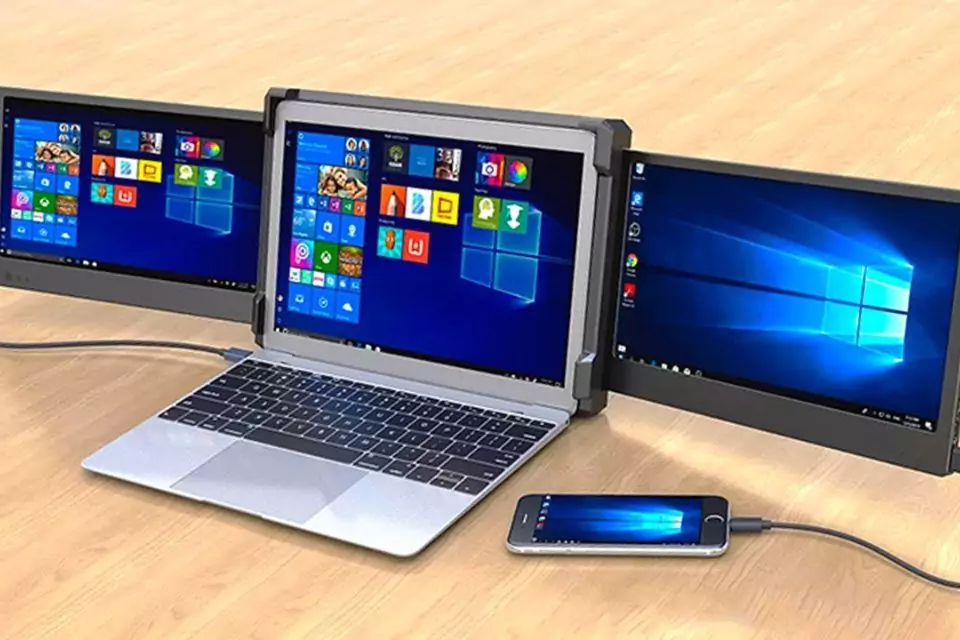
Many professionals and students are looking for laptop screen extenders. The reason is the increasing necessity for effective multitasking and increased productivity in today’s dynamic work environment. These gadgets provide an easy way to increase the size of your workplace without having to buy a bigger desktop or display. However, choosing the best laptop screen extender can be difficult given the abundance of options. Here is a thorough guidance on what to consider before making your selection:





What To Look For In A Laptop Screen Extender?
Connectivity
Seek for laptop screen extenders with several connection options, such as USB-C, HDMI, or DisplayPort. For laptops with limited ports, USB-C’s versatility in providing power delivery and video transmission is highly useful. Additionally, confirm that the screen extender is appropriate for the hardware specs like USB-C, HDMI, and DisplayPort and operating systems like Windows, macOS, and Linux of your laptop.
Portability
Seek for thin, light laptop screen extender designs that go well with the portability of your laptop. To improve portability, some screen extenders include foldable stands or protective covers that can be used as stands. Pick a screen size that strikes a balance between usability and portability. Diagonally, sizes usually vary from 12 to 17 inches. More workspace is provided with a larger screen, although portability may be compromised.
Display
For smooth visual continuity, choose a laptop screen extender with a resolution that is either higher than or equal to that of your laptop’s screen. Two common resolutions are 4K and Full HD. Another consideration to bear in mind relates to the characteristics of displays; viewing angles, brightness, and colour accuracy to be precise. In a direct comparison with Twisted Nematic panels, In-Plane Switching panels are superior in terms of viewing angles and colour quality.
Ease of Use
Plug-and-Play
Make sure that there are no other drivers or software installations needed to set up or use the extender.
Adjustability
For ergonomic comfort, take into account characteristics that may be adjusted, such as height and tilt angles.
Other Features
Certain laptop screen extenders come equipped with integrated speakers, touchscreen functionality, or built-in batteries to enable portability without depleting the battery of your laptop.
Reviews
To evaluate the functionality, dependability, and user happiness with the extender, read user evaluations and professional advice. To make an informed choice, compare laptop screen extender models that are similar in terms of features, performance, and value.
Best Laptop Screen Extender options on Walmart
1. Portable Triple Monitor Extender with 14 inch Screen by LIMINK
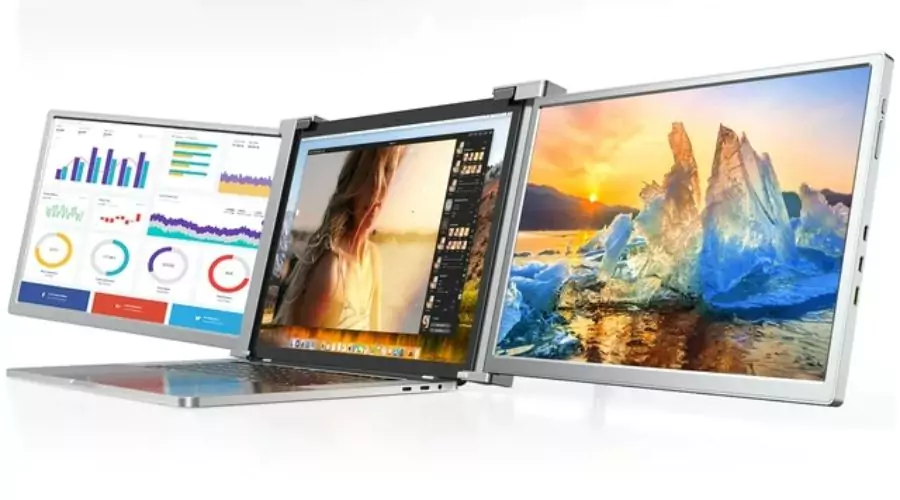
Perfect for Laptops 15–17 Inches. The maximum resolution with anti-glare technology is 1920x1080P, with a refresh rate of 60Hz and a brightness of 300 nits. The fineness of the picture is enhanced by the FHD 1080P display, and the colour reproduction is enhanced by the HDR mode to guarantee high-standard picture colours and provide rich visual effects. The low blue light mode also helps lessen eye strain. Three modes are available for the LIMINK display: dual, triple, and foldable screens. These screens can handle many jobs simultaneously!
2. Laptop Screen Extender Monitor For Travel Gaming Work By AOKER
With its excellent compatibility and simple setup, the S1 dual laptop screen extender is a useful tool for your everyday work. All you need to do to increase your productivity is plug and play with one fully functional Type-C or HDMI port. It works with a range of operating systems, including Windows, MacOS, Linux, and Android, and is made to suit 13″–17.3″ laptops. It produces crisp, vibrant colours that improve both your gaming and work performance. Because of the twin screens, you may multitask and boost your productivity by up to 100%.
3. Triple Laptop Screen Extender With 1080P FHD IPS 60Hz Screen 11.6
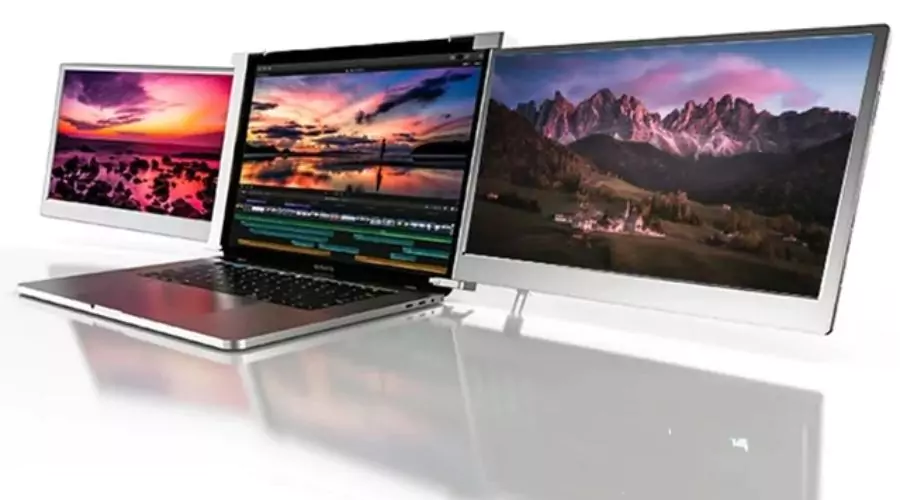
This elegant 11.6-inch marvel, designed for the contemporary professional, weighs only 1.6 kg and provides unmatched portability. The triple-screen monitor turns your laptop, PC, or Android phone into a productivity powerhouse, whether you’re a tech-savvy entrepreneur, a world-travelling business magnate, or an artistic professional on the go. This revolutionary tool, which serves the finance, business, IT, and other fields, is essential for people who require versatility. With this triple monitor, you may tackle your tasks, improve your workflow, and enjoy yourself to the fullest. Redefining productivity for yourself. Explore more options at Walmart!
4. Portable Laptop Screen Monitor Extender by BOSII
The updated screen extender is made to accommodate laptops with 13–17.3 inches. For instance, it is compatible with Windows, MacOS, and Linux operating systems as well as the Android mobile operating system. The dual laptop monitors of S1 are equipped with 14-inch 1080P FHD IPS panels; you will feel as if you are in a different world. This makes your gaming a better experience, work becomes more fruitful and your multi-tasking ability is enhanced. With the adjustable settings on the extender, you may customise your screen experience. With just one button on top, you may change the contrast, brightness, sound, and other settings.
5. Portable Triple Monitor Laptop Mobile Workstation by DORPU
This screen extender suggests the idea of a three-screen display to accommodate the demands of multitasking in order to adapt to today’s fast-paced lifestyle. Extending three displays can result in a 300% increase in work efficiency and a reduction in the time spent flipping between pages. S15 has a plug-and-play design that allows it to be used without the need to install any driver connections, thus increasing efficiency and saving time. Additionally, the screen features an anti-blue light protection layer that helps reduce eye strain and visual fatigue while working. Buy now before it gets out of stock!
Conclusion
Selecting the best laptop screen extender requires taking a variety of things into account. Compatibility and connectivity choices are among the many considerations, along with display quality, portability, and cost. You can choose a laptop screen extender that effortlessly integrates with your laptop and increases productivity by evaluating your unique needs and preferences against these standards. It’s important to choose features that complement your workflow and make sure the extender fits seamlessly into your everyday schedule. Walmart’s laptop screen extender can completely change your workplace and improve your computing experience if you choose the appropriate one.
For more information visit FrontCeleb.